
Get new inquiries in Slack or Teams the moment they arrive
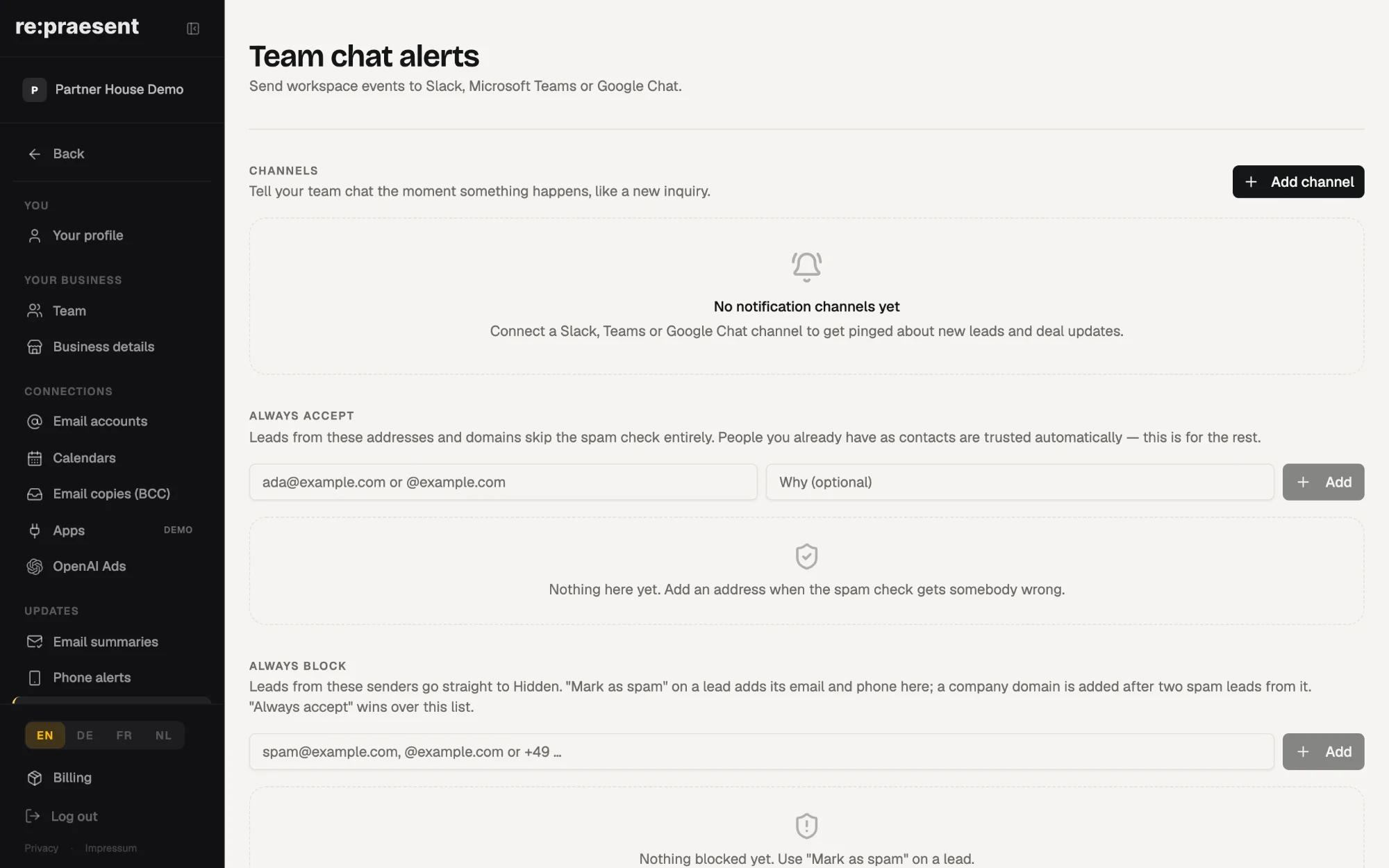
re:praesent can post a message to your Slack or Microsoft Teams channel when a new inquiry arrives, a form is sent, an appointment is booked or a deal changes stage. Your team sees it in the chat they already watch, so the first reply does not wait until someone next opens the app. In the app this is called Team chat alerts.
An inbox is a poor bell
An inquiry arrives through your website at ten past two. Nobody has the app open. The email alert lands between a supplier newsletter and three delivery notes, or goes to a folder nobody reads.
At half past four someone sees it. By then the customer has written to two other businesses as well.
Yet the team is not asleep. They have had a Slack or Teams channel open all afternoon. That is where the shop floor talks. A new inquiry should appear there.
What can be posted
You choose which events go to the channel:
- A new inquiry.
- A form sent from your website.
- An appointment booked.
- A deal moved to another stage.
You can pick all four or only one. A small team may want every inquiry in the channel. A larger one may only want bookings.
How to set it up
- In Slack or Teams, create an incoming link for the channel you want to use. Both call this an incoming webhook, and it is an address that accepts messages for that channel.
- In re:praesent, an admin opens Settings, then Team chat alerts, and adds a channel.
- Give it a name, paste the address and tick the events you want.
- Press Send test. A test message appears in the channel, so you know it works before you rely on it.
That is all. You are pasting one address and typing one name. There is no chat bot to build and nothing to install.
How it works day to day
The message arrives in the channel as the event happens. Whoever is free picks it up and says so in the chat, the way your team already agrees who takes a call.
The inquiry itself is still in the app, under Customers, with the person’s details and the next step. The chat message is the bell. The app is where the work is recorded.
If you would rather be told on your phone than in a chat, the re:praesent phone app can alert you as well.
What it does not do
It posts in one direction. Answering in Slack or Teams does not write anything back to the customer or to the deal.
The chat messages are written in English, whichever language you use the app in.
Only admins can add or remove a channel. Removing a channel in re:praesent stops the messages. It does not delete the incoming link you created in Slack or Teams. If you want that gone too, remove it there.
It is included. It is part of the re:praesent package: €300 a year or €30 a month, everything included, with no fee per user. The full list is on the pricing page.
Questions
Which chat programs does it work with?
Slack and Microsoft Teams.
Which events can be posted to the channel?
A new inquiry, a form sent from your website, an appointment booked, and a deal moved to another stage. You choose which.
Who can set it up?
Only admins can add or remove a channel, under Settings, then Team chat alerts.
How do I know it works?
Press Send test after adding the channel. A test message appears in your Slack or Teams channel.
What happens if I remove the channel in re:praesent?
The messages stop. The incoming link in Slack or Teams is not deleted, so remove it there if you no longer want it.