
Website forms with steps, bookings and payment
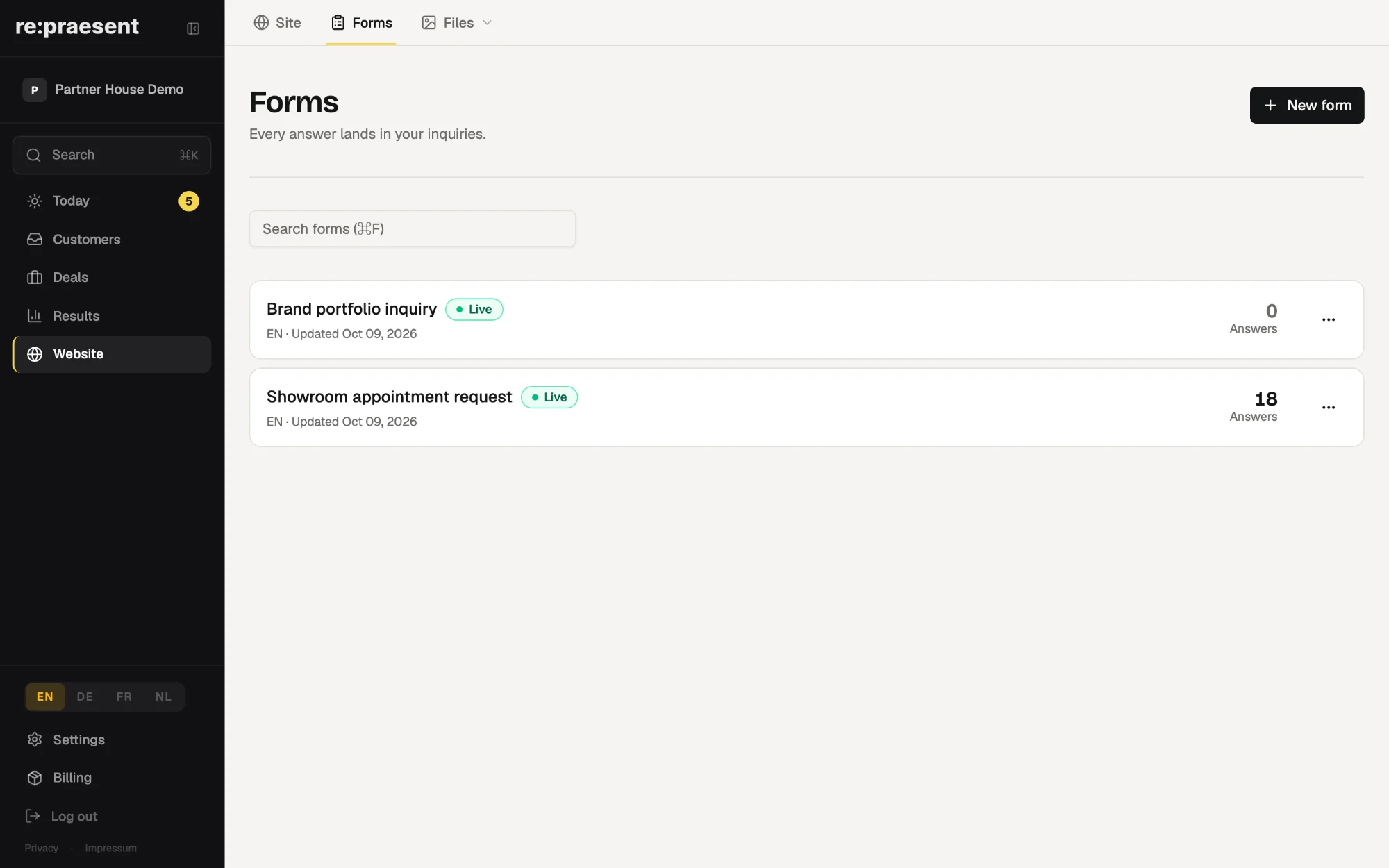
re:praesent includes a form builder for your website. Every answer lands in your inquiries, the person can get a confirmation email, and a form can include an appointment field. A product form lets the visitor choose what they want and pay through Stripe Checkout.
A form is where most work starts
A kitchen studio has a contact form with three fields: name, email, message. People write “please call me about a kitchen” and nothing else.
The first phone call is then spent asking what the form could have asked. How big is the room. Is it a new build. When do they want it.
A better form saves that call. It also has to end up somewhere you will see it. Too many forms still send an email that sits unread in a shared inbox.
What you can build
In re:praesent, choose “New form” and pick the kind.
- Single page. Every field on one screen. The fastest way to ask a few questions.
- Multi-step. One screen per step, with a progress indicator. Better for longer forms. You can split a form into steps later, or merge it back.
- Product. Visitors pick from your products, fill in the form, then pay on Stripe.
- From another tool. For a form you already have somewhere else. Connect it once and its answers arrive as inquiries too.
A short checklist walks you through it: add your questions, turn the form on, put it on your website. For the last step you copy a link, or send a piece of code to whoever looks after your website. The code stays up to date by itself when you change the form.
The only thing a form must ask for is an email address. A newsletter box with one field works.
What happens after someone fills it in
Every answer lands in your inquiries. It appears on the Today page under “Needs you”, with Call, WhatsApp and Email next to it. The post about inquiries describes that list.
You can turn on a confirmation email. It goes to the person who filled in the form, from one of your own mailboxes, and you write it once per language.
A form can be offered in more than one language. Adding a language translates the text from your default language, and you can correct any line.
An appointment field lets the visitor pick a free time. The booking goes into the calendar you chose, and times that are busy in your calendars are not offered. This needs a connected calendar.
Forms that take payment
A product form is for things with a fixed price. A deposit for a consultation, a voucher, a maintenance contract.
You first connect your own Stripe account, so payments go to you. Then you pick the products the form should offer. The visitor ticks the ones they want, fills in the form and pays on Stripe’s payment page.
The inquiry shows the payment. If you turn it on, a deal is created once the payment has gone through, with the buyer and the purchased products attached. A checkout that someone abandons does not reach your board.
Limits and cost
Card details are entered on Stripe’s payment page, not in re:praesent, and the money goes to your own Stripe account.
One checkout uses one currency. Stripe must stay connected for a product form to work.
The form builder is not a shop. It has no basket, stock or shipping rules. For a handful of products and a clear price it is enough.
It is part of re:praesent, which costs €300 a year or €30 a month. Everything is included and there is no fee per user. The pricing page has the details.
Questions
Do I need someone technical to put the form on my website?
Not for the form itself. It has its own link you can share straight away, and a short piece of code that whoever looks after your website pastes once.
Do I need Stripe for a normal contact form?
No. Stripe is only needed for product forms that take payment.
Can I change a form after it is live?
Yes. Your website shows the last live version until you publish the changes.
What if I already use a form from another tool?
Choose “From another tool”. You paste an address into the other tool once, and every answer arrives in re:praesent as an inquiry.