
Keep a copy of customer emails on the customer’s record
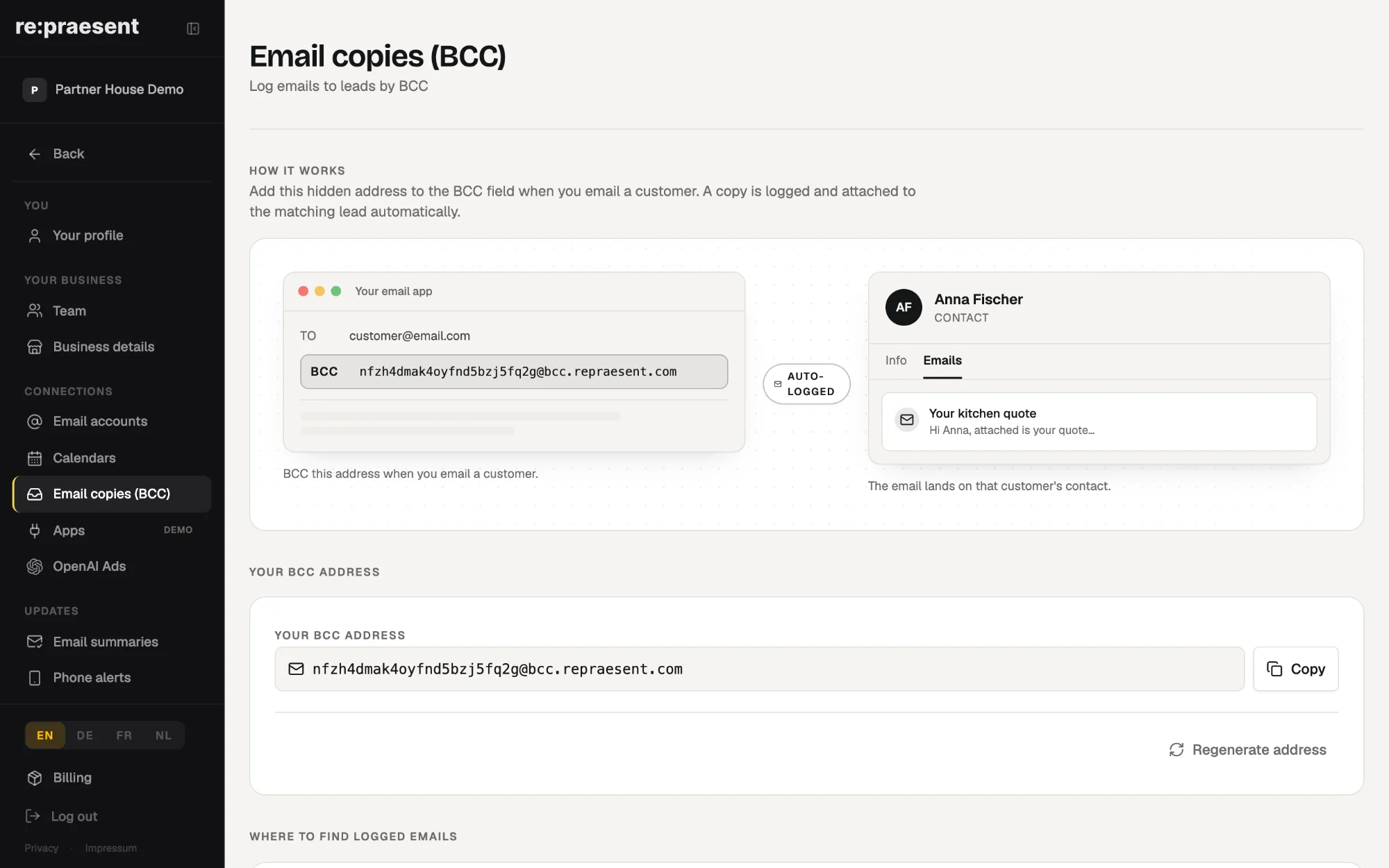
Email copies in re:praesent give your business its own hidden address. When you add it to the Bcc line of an email to a customer, a copy is filed with that customer automatically, where your team can read it. You keep using Outlook or Apple Mail as before, and nobody has to move the company to a new email system.
The promise made on Tuesday
A customer rings and says: you promised me delivery by the end of the month. You open their record. You can see the deal and its stage. You cannot see the promise.
It is in an email that a colleague sent on Tuesday, from their own mailbox. They are out on a job today.
Small businesses sell by email. Quotes go out by email, and so do the follow-up and the small agreements along the way. A customer record without those messages is a half-empty notebook.
There is a heavy way to fix this, which is to connect the whole company mailbox to the customer system. For most small firms that is a project they will never start. So we built a light way and released it in July 2026.
What it does
- Your business gets its own Bcc address. You find it under Settings, on the page called Email copies (BCC).
- You add that address to the Bcc line when you write to a customer.
- A copy of the email is matched to the right customer and attached to their record.
- The message appears under Emails on that customer, next to their deals and notes.
- It works with Outlook and Apple Mail, in the way your team already sends email.
Bcc means blind copy. The customer does not see the address and notices nothing.
How to use it
- Open Settings and go to Email copies (BCC).
- Copy your address with the Copy button.
- Write to your customer as usual, in your normal email program.
- Paste the address into the Bcc line and send.
- Open the customer in re:praesent. The email is there, under Emails.
You can save the address in your email program’s address book, so it is quick to add. That is the whole routine.
Emails filed this way also show in the Inbox under Customers, so the team has one place to look through recent messages.
What it does not do
It files the emails you send with the address on them. An email sent without the address is not copied. Nothing reads your mailbox in the background.
That is a limit and also the point. You decide, message by message, what belongs on the customer’s record. A private email stays private.
If the address ever gets into the wrong hands, you can create a new one on the same settings page. The old address stops working at once, so remember to change it wherever you saved it.
What it costs
Email copies are part of the package: €300 a year or €30 a month, everything included. There is nothing to install and no fee per user. See pricing, or read how the parts work together.
Questions
Does the customer see the Bcc address?
No. Addresses in the Bcc line are hidden from the person you are writing to.
Do I have to change my email program?
No. You keep sending from Outlook or Apple Mail and only add one address to the Bcc line.
Where do I find the copied emails?
On the customer’s record under Emails, and in the Inbox under Customers.
What happens to emails I send without the address?
They are not copied. Only emails that include your Bcc address are filed.
Can I change the address?
Yes. You can create a new one in Settings. The old address stops working immediately.