
Write to a customer from the page where you see them
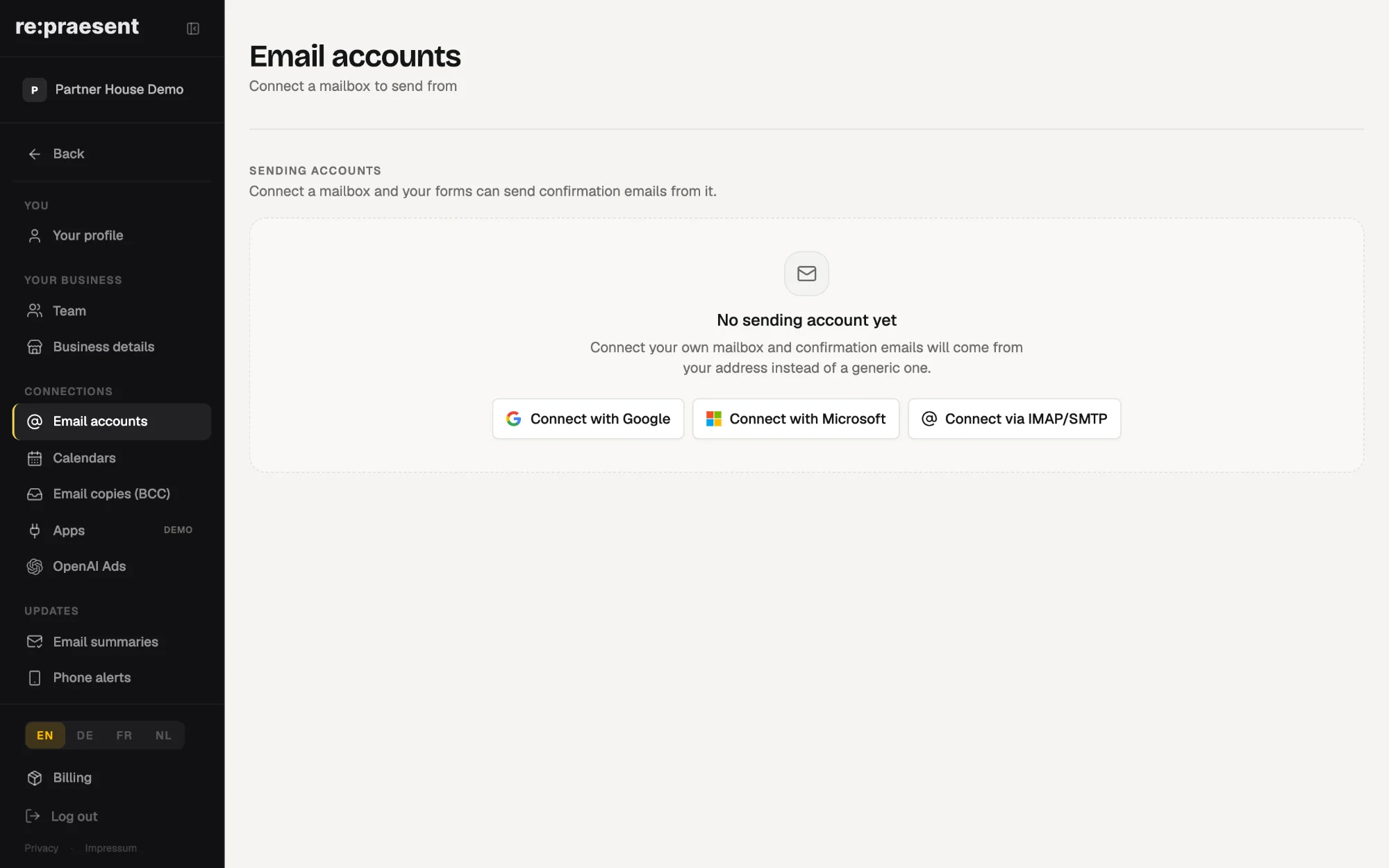
In re:praesent you can write and send email from a person’s page or from a deal, using a mailbox you connect: Google, Microsoft 365 or your own mail server. A copy of every message is kept on that customer automatically, so the whole team can see what was said without searching anyone’s inbox.
The reply that needs a second program
You are looking at a deal. The customer asked a question yesterday and the next step is to answer it.
Until now that meant opening your mail program, finding the right address, writing the reply, and remembering to add the special copy address so the message would appear on the customer’s page. Skip that last step once and the message exists only in your own sent folder.
Email copies by BCC still have their place. A team that lives in Outlook or Apple Mail keeps writing there, adds the copy address, and the message lands on the customer. But it does not help when you are already on the deal and only want to send the next reply.
What you can do now
- Write, reply and send from a person’s page or from a deal.
- Choose which of your connected addresses the message comes from.
- Have a copy kept automatically on the customer. There is nothing to remember.
- Store a signature on the mailbox. It is added to every message sent from that address, whoever sends it.
- Let the confirmation emails from your website forms come from your own address, not from a generic sender.
How to set it up
- Open Settings and choose to connect a mailbox.
- Sign in with Google or Microsoft. This is one click. For any other mailbox, including one hosted with us, enter its mail server details.
- Add your signature. You can paste the one you already use.
- Open a person or a deal, write your message, pick the address it comes from, and send.
Some companies on Microsoft 365 require their IT administrator to approve new connections. In that case the app gives you a link you can copy and send to IT.
How it works day to day
The conversation with a customer is on the customer’s page, in order. A colleague who takes over on Monday can read what was promised on Friday.
This is the plain benefit of keeping customers, deals and email in one place, which is what people mean by a CRM. The next step on a deal and the message that carries it out sit on the same screen.
Messages also arrive from your real address. The customer replies to you, as usual.
What it does not do
It does not replace your mail program. You can keep Outlook, Apple Mail or Gmail for everything else, and use email copies when you write from there.
It does not lose history if you change your mind. Mail that was already sent stays on the customer if you later disconnect the mailbox.
It is included in the package. It is part of the re:praesent package: €300 a year or €30 a month, everything included, with no fee per user. The full list is on the pricing page.
Questions
Which mailboxes can I connect?
Google and Microsoft 365 with one click, or any other mailbox by entering its mail server details, including a mailbox hosted with re:praesent.
Do I still need to add a BCC address?
Not when you send from the app. A copy is kept on the customer automatically. The BCC address is for messages you write in your own mail program.
Can everyone on the team use the same signature?
Yes. A signature stored on the mailbox is added to every message sent from that address, whoever sends it.
What happens to sent messages if I disconnect the mailbox?
They stay on the customer’s page.
My company’s Microsoft account needs IT approval. What then?
The app gives you a link to copy and send to your IT administrator so they can approve the connection.